
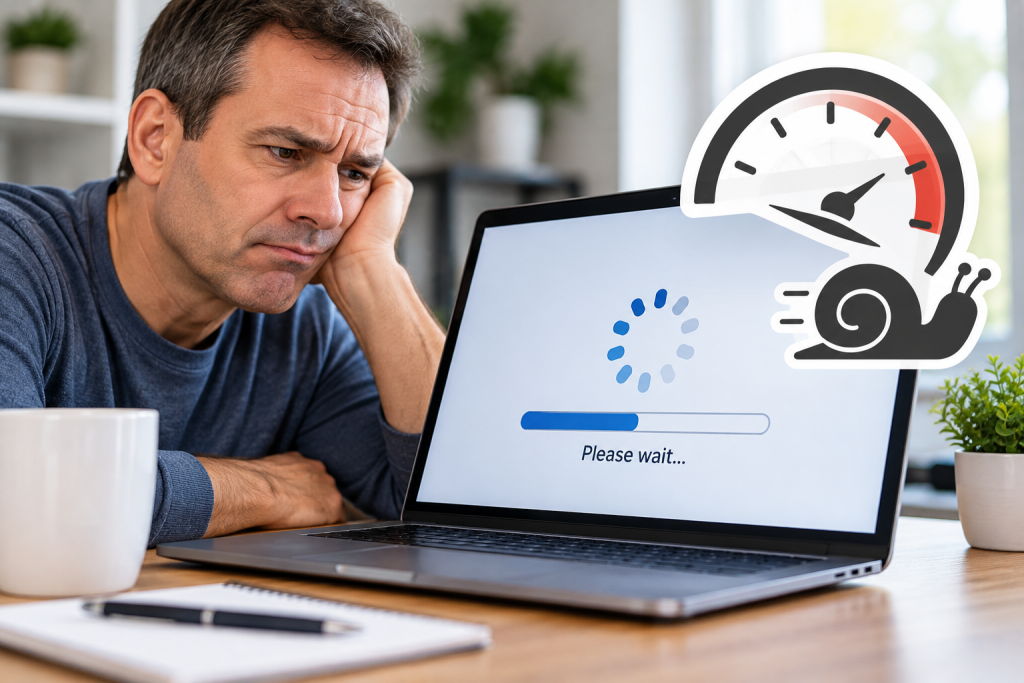
 Few computer problems are more frustrating than a computer that technically works, but takes forever to do anything. Programs take too long to open, websites seem sluggish, the computer freezes for a few seconds at a time, or you find yourself restarting it just to get through the day. So why is your computer suddenly so slow?
There isn’t one answer. A slow computer can be caused by software, failing hardware, malware, insufficient memory, storage problems, too many programs running in the background, Windows issues, overheating, or simply a computer that can no longer keep up with what you need it to do. The important part is finding the actual cause instead of guessing and spending money on something that may not fix the problem.
Why Has My Computer Become Slower Over Time?
Computers often slow down gradually rather than failing all at once. More programs get installed, applications begin running automatically when Windows starts, software requirements increase, and updates can change how much of the computer’s resources are being used. Sometimes the hardware is still perfectly capable and the computer simply needs maintenance. Other times, poor performance can be an early indication that something is beginning to fail.
That is why buying a new computer should not automatically be the first solution. A proper diagnosis can determine whether the computer simply needs some cleanup and maintenance, a hardware upgrade, a software repair, or whether replacement really is the better investment.
Could Too Many Programs Be Slowing It Down?
Yes. Many programs install services or startup components that run automatically every time the computer starts, even when you are not actively using them. A few background programs may not matter, but over time they can consume memory, processor time, and other resources. Web browsers can also use a surprising amount of memory when many tabs are open, especially when those tabs are running web applications, video, advertisements, or other active content.
This is especially noticeable on computers with limited RAM. A computer may seem reasonably fast immediately after restarting and then become progressively slower as more programs are opened throughout the day. If restarting temporarily improves performance but the slowness repeatedly returns, that is useful information when diagnosing the problem rather than simply accepting daily reboots as normal.
Can Low Storage Space Make a Computer Slow?
Yes. Windows needs available storage space for temporary files, updates, virtual memory, and normal system operations. When a drive becomes extremely full, performance can suffer and Windows updates may also have difficulty installing properly.
Simply deleting a few files is not always the answer. Sometimes the space is being consumed by temporary files, old Windows installation files, large or unused applications, or other files the user didn’t realize were taking up so much room. If your drive repeatedly fills up after space has been cleared, the cause should be investigated rather than continually deleting files and hoping the problem goes away.
Could Malware Be Making My Computer Slow?
It can. Malware can run processes in the background, use processor, memory, disk, and network resources, modify Windows, display unwanted advertisements, or perform other activity without your knowledge. One reason this matters is that malware does not always announce itself with an obvious warning or flashing message.
A computer can appear mostly normal while something unwanted is operating behind the scenes. Unexplained slowness does not automatically mean your computer has malware, but it is something that should be considered when diagnosing sudden or unusual performance problems.
What If Task Manager Shows High CPU, Memory or Disk Usage?
High CPU, memory, or disk usage can provide an important clue, but the percentage alone does not tell you what is wrong. For example, 90% memory usage could mean the computer does not have enough RAM, but it could also mean one particular program is consuming far more memory than it should. High disk activity could be caused by Windows, updates, security software, an application, a storage problem, or another background process.
This is where proper diagnosis matters. Replacing hardware simply because Task Manager shows a high number can waste money if the actual problem is software. The better approach is to identify what is consuming the resources and determine whether that level of usage is normal.
Does a Slow Computer Need More RAM or a New SSD?
Sometimes, but not always. Older computers using traditional mechanical hard drives can often feel significantly faster after moving to a solid-state drive. Additional RAM can also help if the computer regularly runs out of memory while running the programs you need.
However, upgrading parts without diagnosing the problem first is still guessing. A relatively new computer with a fast NVMe SSD and plenty of RAM can also become extremely slow because of a software problem, a bad driver, malware, Windows corruption, overheating, or failing hardware. Before spending money on upgrades, it makes sense to determine what is actually limiting the computer.
Is My Computer Just Too Old?
Eventually, every computer reaches the point where replacing it makes more sense than repairing or upgrading it, but age alone should not determine that decision. A well-equipped older computer may still perform perfectly well, while a newer low-end computer may struggle with everyday workloads.
Better questions are whether the computer can still run currently supported software, whether its hardware remains reliable, whether replacement parts or upgrades make financial sense, and whether its performance still meets your needs. A good computer technician should be willing to tell you when a repair or upgrade makes sense and when putting more money into the computer does not.
When Should I Get a Slow Computer Checked Professionally?
If a computer occasionally hesitates for a second, that does not necessarily mean it needs repair. Repeated freezing, extremely long startup times, applications regularly becoming unresponsive, frequent crashes, unexpected restarts, unusually high resource usage, overheating, strange error messages, or having to reboot almost every day just to restore normal performance are different. Those symptoms can indicate that something needs attention.
You should also be cautious if files begin disappearing or becoming corrupted, Windows has difficulty starting, or the computer begins reporting storage-related errors. These symptoms can indicate a file-system or storage problem that should be investigated promptly, especially if the computer contains important data. Making sure important files are backed up should be a priority before attempting major repairs on a computer showing possible storage problems.
Can a Slow Computer Be Fixed Remotely?
Many performance problems can be diagnosed and repaired remotely if the computer still starts normally and has a working Internet connection. Software problems, startup programs, Windows issues, malware scans, updates, system errors, and many configuration problems can often be investigated without bringing the computer anywhere.
Some hardware problems can also be identified or suspected remotely by reviewing system information, temperatures, storage health, error logs, and other diagnostic information. If physical testing, replacement parts, cleaning, or internal repairs are required, the computer will eventually need hands-on service. Remote diagnosis can still help determine the likely cause before deciding what type of repair is needed.
Computer Repair in Keswick and Georgina
If your computer has become slow, freezes regularly, takes too long to start, or simply doesn’t perform the way it used to, the solution should not begin with randomly replacing parts or automatically buying a new computer. TwinBytes Inc. provides computer repair for home users and small businesses in Keswick, Georgina, and surrounding York Region. We diagnose the problem first, explain what we find, and then recommend whether it makes sense to repair, upgrade, or replace the computer.
Many software and performance problems can also be handled remotely, while hardware problems can be arranged for onsite or drop-off service depending on the situation. If your computer is becoming slower, freezing regularly, or forcing you to restart just to keep working, the best next step is to find out what is actually causing the problem before spending money on upgrades or replacement. Sometimes the fix is simple, and sometimes the symptoms point to a more serious issue that should be addressed sooner rather than later.
Learn more about our Computer Repair Services in Keswick and Georgina.